Using SELECT * with EXCEPT and REPLACE

Senior Data Engineer • Contractor / Freelancer • GCP & AWS Certified
Search for a command to run...

Senior Data Engineer • Contractor / Freelancer • GCP & AWS Certified
No comments yet. Be the first to comment.
Short, practical posts on SQL and BigQuery — from core language features to advanced query patterns. A reference for data practitioners at every level.
Here's a useful Dataform concept: pre_operations and post_operations. As the name implies, these represent a set of actions that run before and after the main operation (table, view, or SQL operations

BigQuery has always been a SQL engine for tabular data. Object tables add an interesting twist to that. Instead of rows containing values, an object table gives you one row per file — pointing at da

Query your data lake with warehouse-grade security and performance — without moving a single file.

Ever run a heavy BigQuery SQL query, processed gigabytes of data — and then accidentally closed the tab or forgot to save the results? 😬 Don't re-run it. Your results are still there. BigQuery automa

You can use query parameters in BigQuery hashtag#SQL (now in the console as well!) — but how are they different from variables, and when should you use each? Both parameters and variables act as place

SELECT * is not a good practice in production, but I still use it for spot checks, when debugging, analyzing or validating data - especially when working with wide tables.
Here are two useful clauses to keep in mind when working with SELECT * in BigQuery: EXCEPT and REPLACE.
➡ EXCEPT will exclude one or more columns from the output.
➡ REPLACE will swap the enumerated columns with the new definitions you provide.
Also, since SELECT DISTINCT * won't work when you have a STRUCT column, you can use EXCEPT to exclude struct columns.
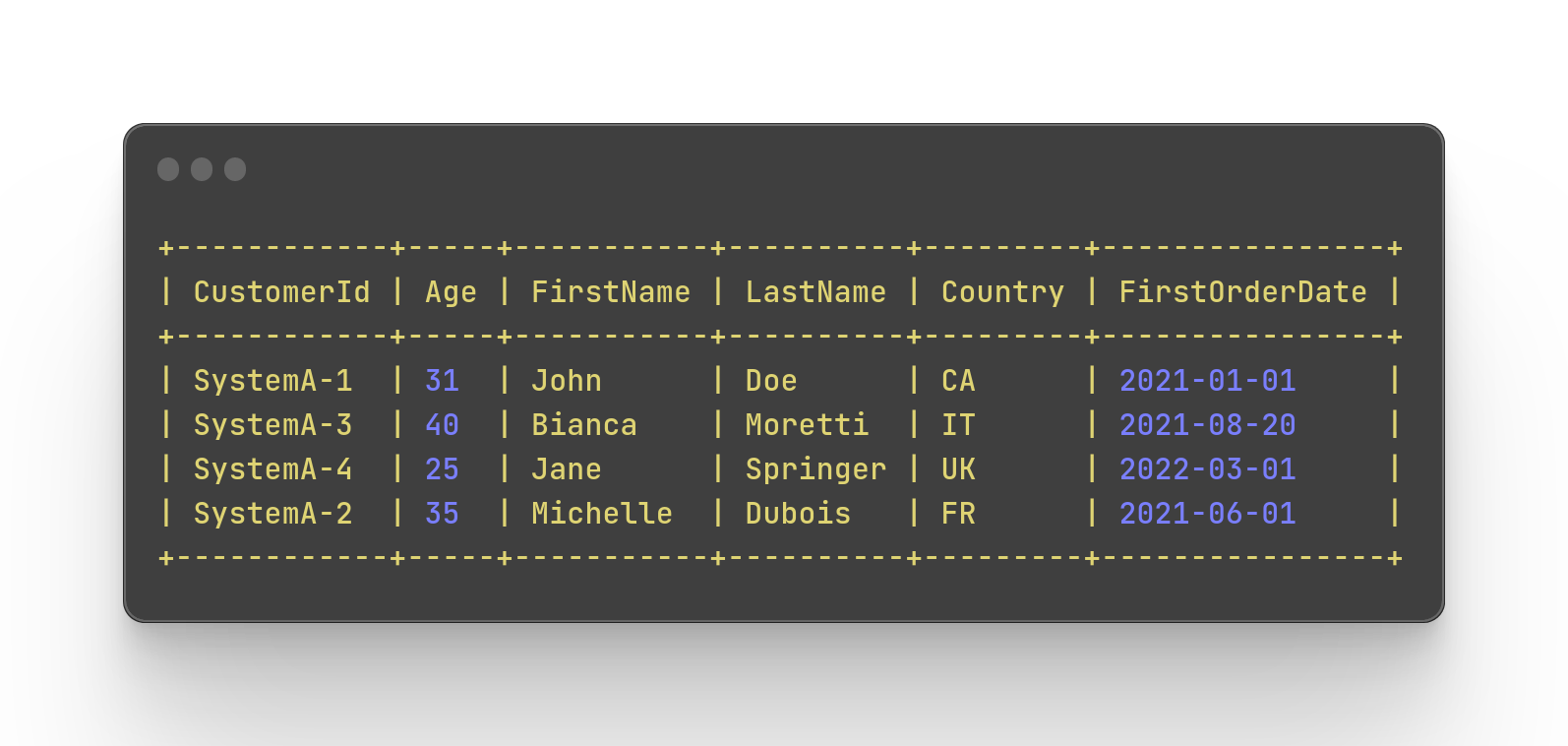
Let's look at an example. Say we'd like to select all the columns but exclude the Salary and modify the CustomerId.
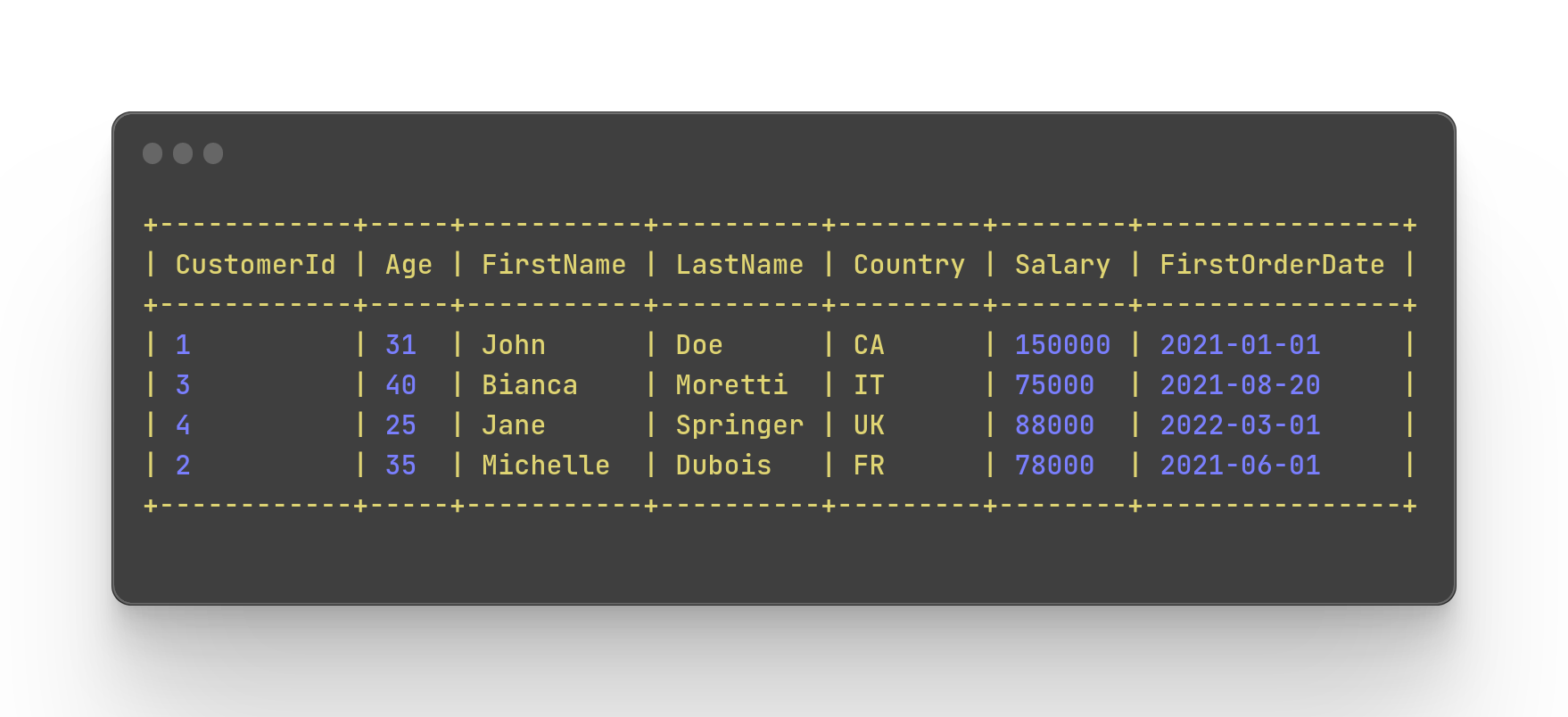
Here's how the code would look:
SELECT *
EXCEPT(Salary)
REPLACE(CONCAT('SystemA','-',CustomerId) AS CustomerId)
FROM `learning.Customers`
This would produce the following output!
Thanks for reading!
Found it useful? Subscribe to my Analytics newsletter at notjustsql.com.