
BigQuery BigLake Tables Explained: What They Are and When to Use Them
Query your data lake with warehouse-grade security and performance — without moving a single file.

If you've worked with BigQuery external tables before, you know the basic idea: a thin wrapper around data that resides somewhere else, but queryable from BigQuery. Sources include Cloud Storage, Google Sheets, or Google Drive.
Today I'd like to talk about a special variety of external table: the BigLake table. It's built to bridge data lakes and data warehouses.
BigQuery External Tables: Limitations and Pain Points
With a regular external table, users need access both to the BigQuery table and to the underlying external data source.
If the data is in Cloud Storage, a user needs BigQuery permissions, but also permissions on the bucket and objects. This might be fine for a quick exercise, but the pain points are real:
-
you manage permissions in multiple places, for different types of resources
-
bucket-level access can be too broad
-
it's harder to apply table-like governance on files
How BigLake Tables Work: Access Delegation Explained
BigLake tables use a BigQuery Connection that accesses the files on behalf of the users. Users don't need direct access to the underlying buckets.
This enables table-level security on external data, including:
-
row-level security
-
column-level security
-
dynamic data masking (for Cloud Storage BigLake tables)
BigLake also enables — powered by BQ Omni — reading data from Amazon S3 and Azure Blob Storage.
Metadata Caching in BigLake Tables: Faster Queries, Better Plans
When querying external data, BigQuery needs to inspect the files first: what files exist, how they are partitioned, and what metadata they contain. With classic external tables, every query triggers a listing operation against the underlying storage.
If you have a small number of files, this is barely noticeable. If you have thousands or millions of files, especially Hive-partitioned data, it becomes painful.
BigLake tables unlock metadata caching. With it enabled, BigQuery skips the listing on every query and prunes files and partitions faster — avoiding reading unneeded files altogether.
For Parquet BigLake tables, metadata caching also collects table statistics, which helps the optimizer produce better query plans.
The cache has a staleness window you control, and you choose between automatic or manual refreshes (the manual option runs a stored procedure, useful if you want to make it event-driven).
Creating a BigLake Table: Step-by-Step SQL Example
Say we have some sales data in Google Cloud Storage as follows

It is Hive partitioned Date -> Country.

In order to create a BigLake table we need to do the following:
Create a BQ Connection
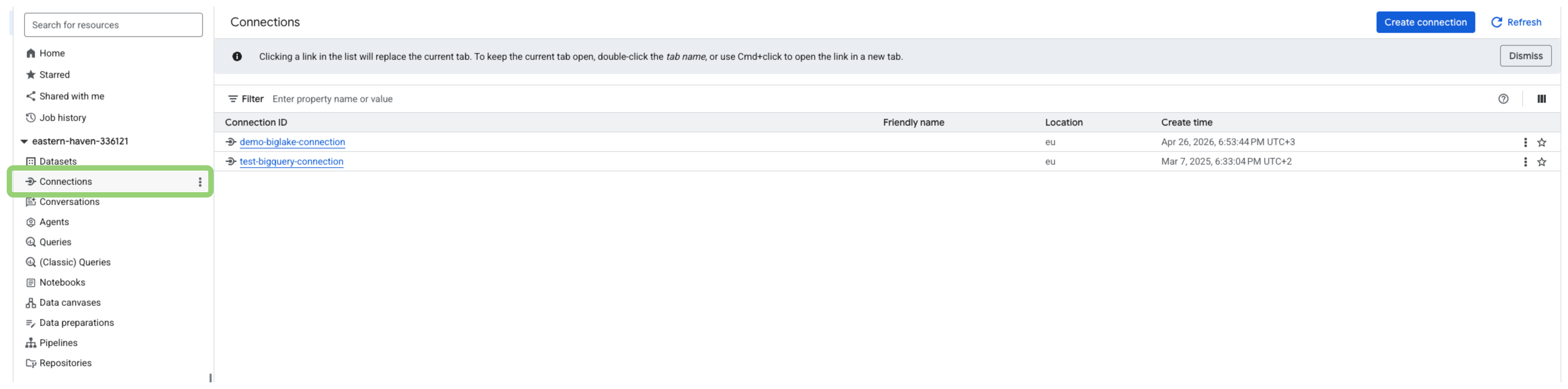
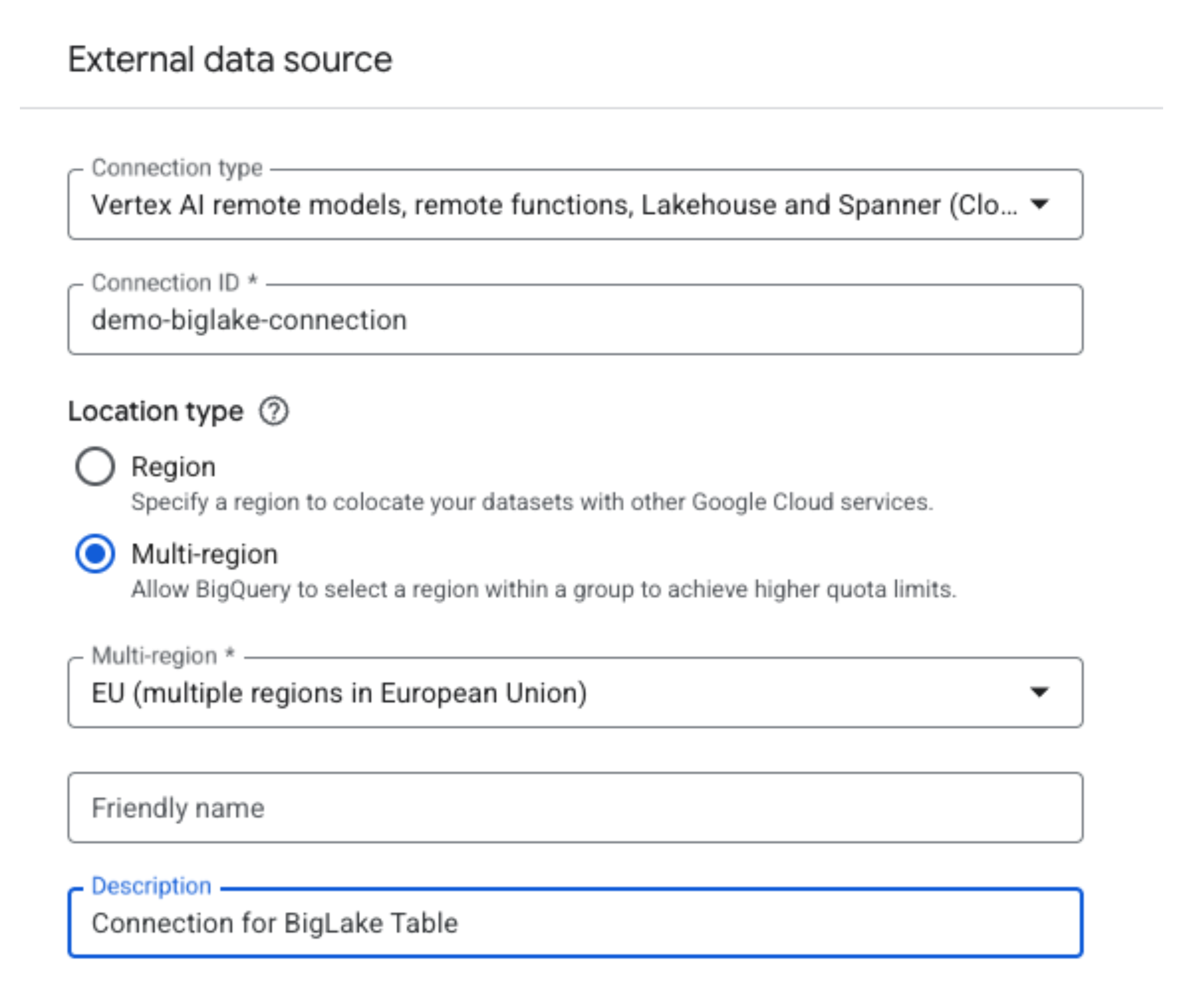
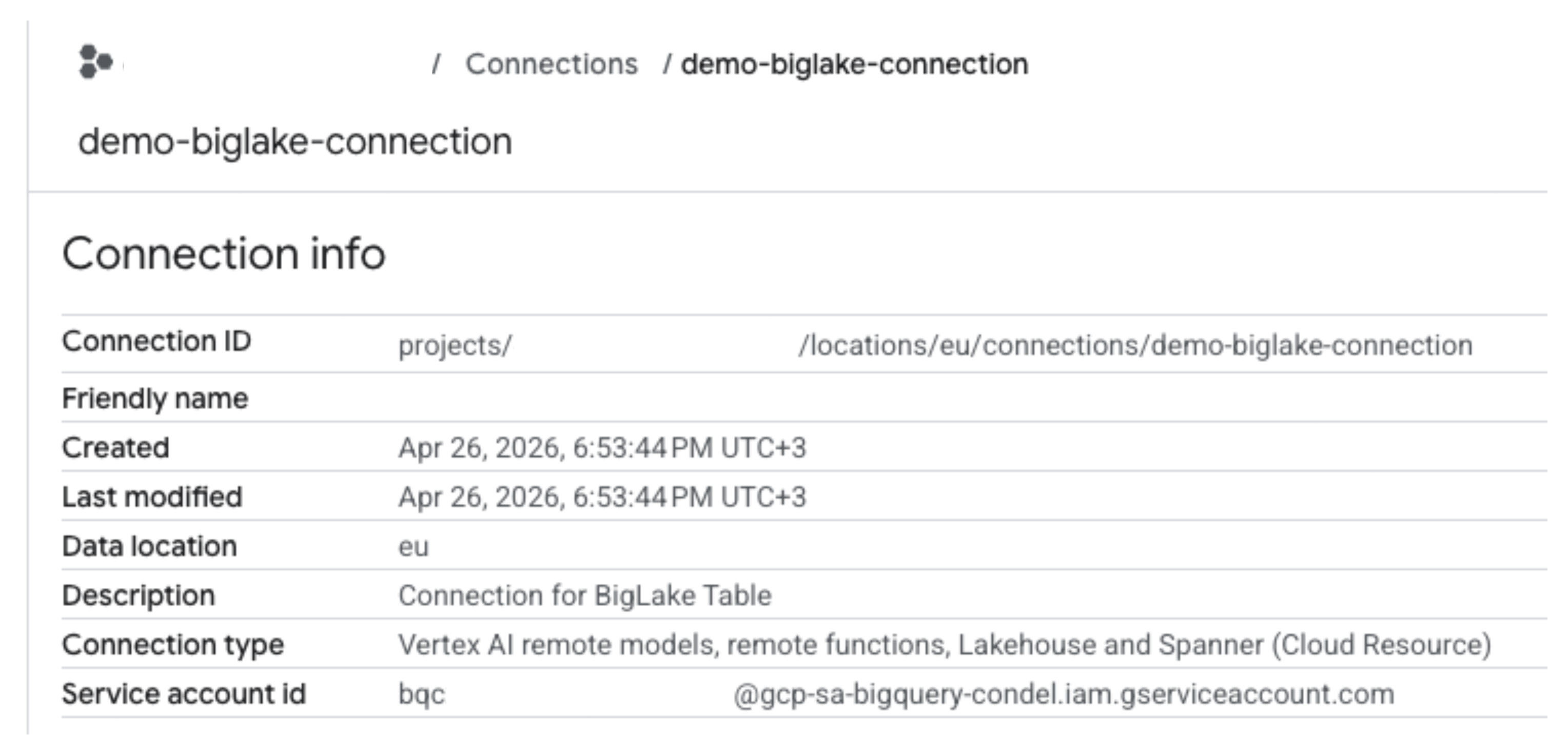
Now, we need to grant this service account access to the GCS bucket
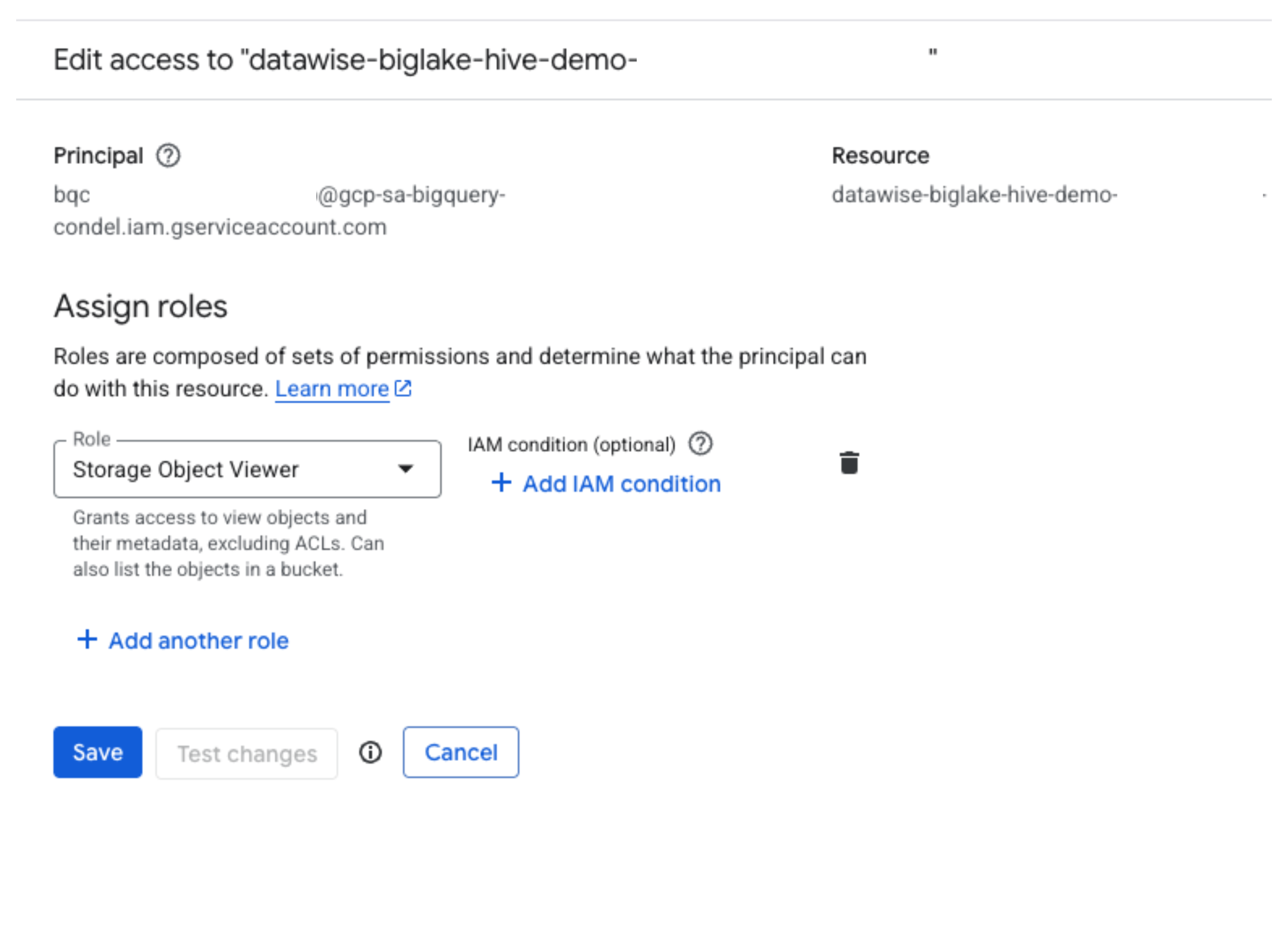
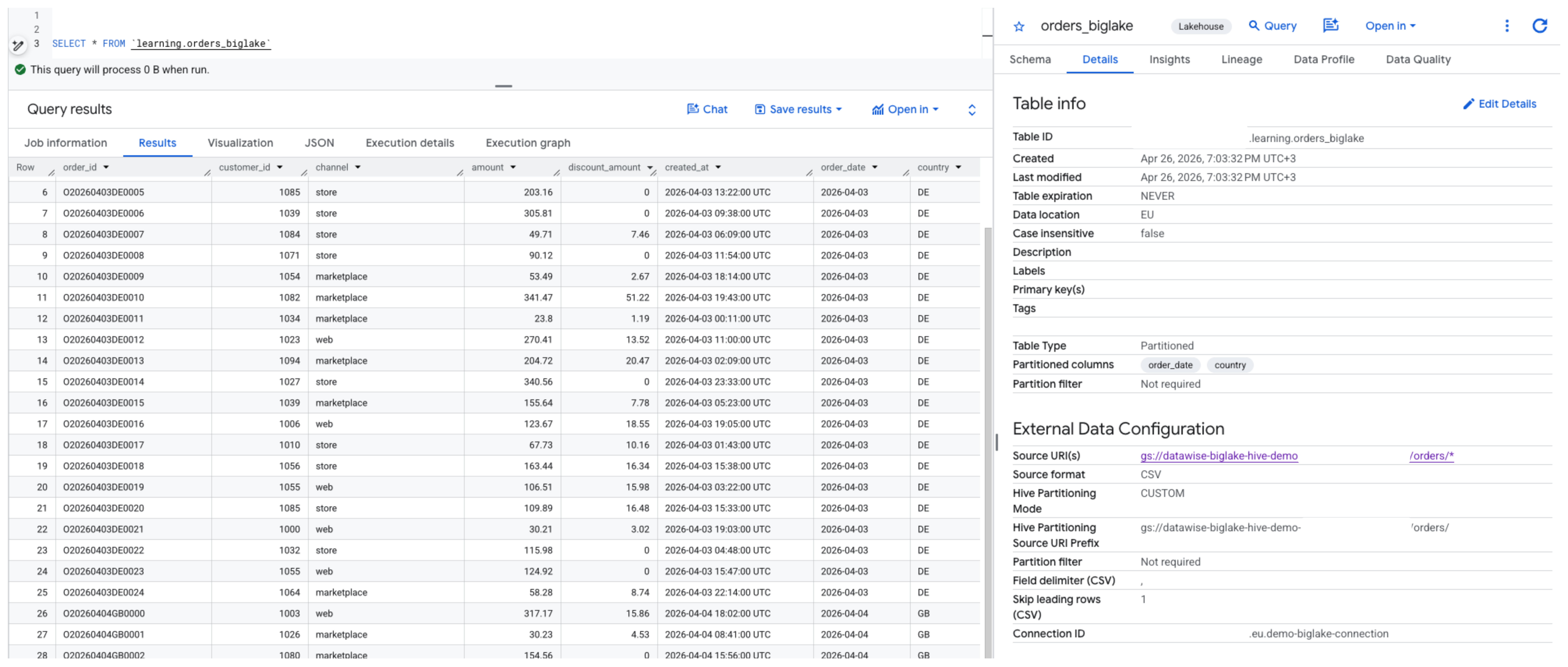
We can now create the BigLake table:
CREATE EXTERNAL TABLE `learning.orders_biglake`
(
  order_id STRING,
  customer_id INT64,
  channel STRING,
  amount NUMERIC,
  discount_amount NUMERIC,
  created_at TIMESTAMP
)
WITH PARTITION COLUMNS
(
  order_date DATE,
  country STRING
)
WITH CONNECTION `projects/your-gcp-project/locations/eu/connections/demo-biglake-connection`
OPTIONS (
  format = 'CSV',
  skip_leading_rows = 1,
  field_delimiter = ',',
  hive_partition_uri_prefix = 'gs://datawise-biglake-hive-demo-bucket/orders',
  uris = ['gs://datawise-biglake-hive-demo-bucket/orders/*'],
  max_staleness = INTERVAL 1 DAY,
  metadata_cache_mode = 'AUTOMATIC'
);
A few things to note:
-
max_staleness — how old the cache can be before BigQuery goes back to storage. Minimum is 15 minutes
-
metadata_cache_mode — AUTOMATIC refreshes on its own; MANUAL lets you trigger it via stored procedure, useful for event-driven pipelines
-
consider adding require_partition_filter to force callers to filter on a partition key and avoid full file scans
The table is now created and can be queried like any other BigQuery table.
Before you go
A couple of things worth knowing:
-
an existing classic external table can be upgraded to a BigLake table without recreating it from scratch
-
metadata cache refreshes incur processing costs — worth keeping in mind if you're dealing with a large number of files