BigQuery Saves Your Query Results — Here's How to Find Them

Senior Data Engineer • Contractor / Freelancer • GCP & AWS Certified
Search for a command to run...

Senior Data Engineer • Contractor / Freelancer • GCP & AWS Certified
No comments yet. Be the first to comment.
Short, practical posts on SQL and BigQuery — from core language features to advanced query patterns. A reference for data practitioners at every level.
You can use query parameters in BigQuery hashtag#SQL (now in the console as well!) — but how are they different from variables, and when should you use each? Both parameters and variables act as place
Here's a useful Dataform concept: pre_operations and post_operations. As the name implies, these represent a set of actions that run before and after the main operation (table, view, or SQL operations

BigQuery has always been a SQL engine for tabular data. Object tables add an interesting twist to that. Instead of rows containing values, an object table gives you one row per file — pointing at da

Query your data lake with warehouse-grade security and performance — without moving a single file.

You can use query parameters in BigQuery hashtag#SQL (now in the console as well!) — but how are they different from variables, and when should you use each? Both parameters and variables act as place

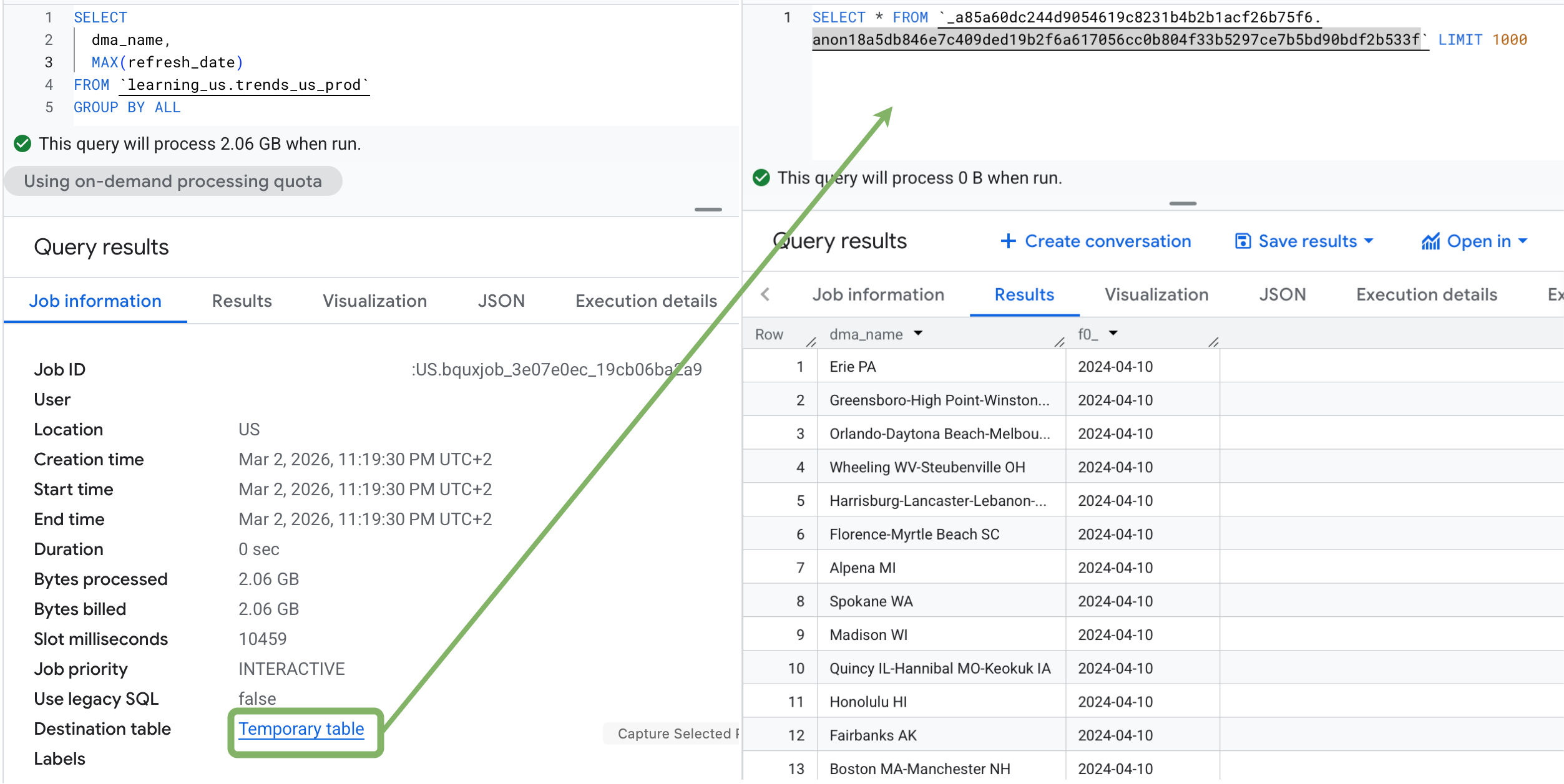
Ever run a heavy BigQuery SQL query, processed gigabytes of data — and then accidentally closed the tab or forgot to save the results? 😬
Don't re-run it. Your results are still there.
BigQuery automatically saves query results to an anonymous temporary table for 24 hours. You can find it under Job Information → Temporary Table.
This is also the engine behind BigQuery's caching behavior: if you run the exact same query again within that window — with no changes — BigQuery serves results directly from cache, at no charge.
One caveat worth knowing: if your result set exceeds 10 GB (that's the output, not the data scanned), it won't be cached. So for very large result sets, you'll want to write results to a permanent table explicitly.