
Using GCP Cloud Functions in Data Engineering

Some of the most interesting Data Engineering projects I've worked with leveraged Google Cloud Functions. It's a serverless execution environment that lets you run your code without provisioning or managing servers.
I found it to be very versatile, even more so for Data Processing tasks. Things like ingesting data, developing a lightweight API or consuming data from an endpoint, parsing and transforming a flat file.
As expected, it's very well integrated with other GCP services, so you could easily say, orchestrate run from a Google Cloud Workflow (a pairing that I used and enjoyed).
The advantages are pretty obvious: no server to manage, pay per invocation, scalability (if you need it) and simplicity to get started.
Now, there are of course a lot of things to think about when setting up such serverless functions :
- the size of the unit of work and runtime resources
- authentication (unauthenticated/authentication required)
- networking - where can the function can be invoked from
- auto-scaling and concurrency
- avoiding cold starts
- reusing heavy computations across invocations



import functions_framework

@functions_framework.http
def hello_http(request):
    """HTTP Cloud Function.
    Args:
        request (flask.Request): The request object.
        <https://flask.palletsprojects.com/en/1.1.x/api/#incoming-request-data>
    Returns:
        The response text, or any set of values that can be turned into a
        Response object using `make_response`
        <https://flask.palletsprojects.com/en/1.1.x/api/#flask.make_response>.
    """
    request_json = request.get_json(silent=True)
    request_args = request.args

    if request_json and 'name' in request_json:
        name = request_json['name']
    elif request_args and 'name' in request_args:
        name = request_args['name']
    else:
        name = 'World'
    return 'Hello {}!'.format(name)
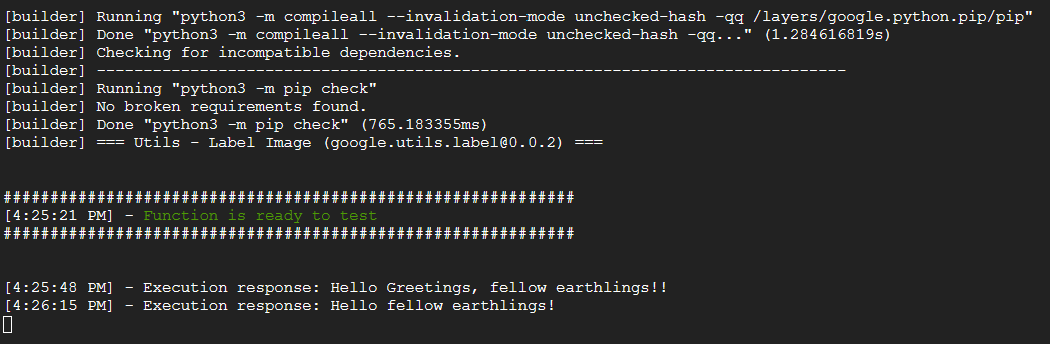
But overall, it felt like the setup was pretty straightforward and the first time I tried it, I was able to get off the ground pretty quickly. You can of course test the function on your local machine (until you're happy with it) and automate its deployment with Terraform.
When used properly, a cloud function can be very useful for Real-Time and Batch ETL, automation and API Development, all while being scalable and flexible.
Enjoyed this? Here are some related articles you might find useful: